Field manual · September 9, 2026
Castle Busters Wheels and Helper Items: Stats and Picks
Use visible wheel stats and helper categories to test one match-specific utility without guessing undocumented Power, costs or unlocks.
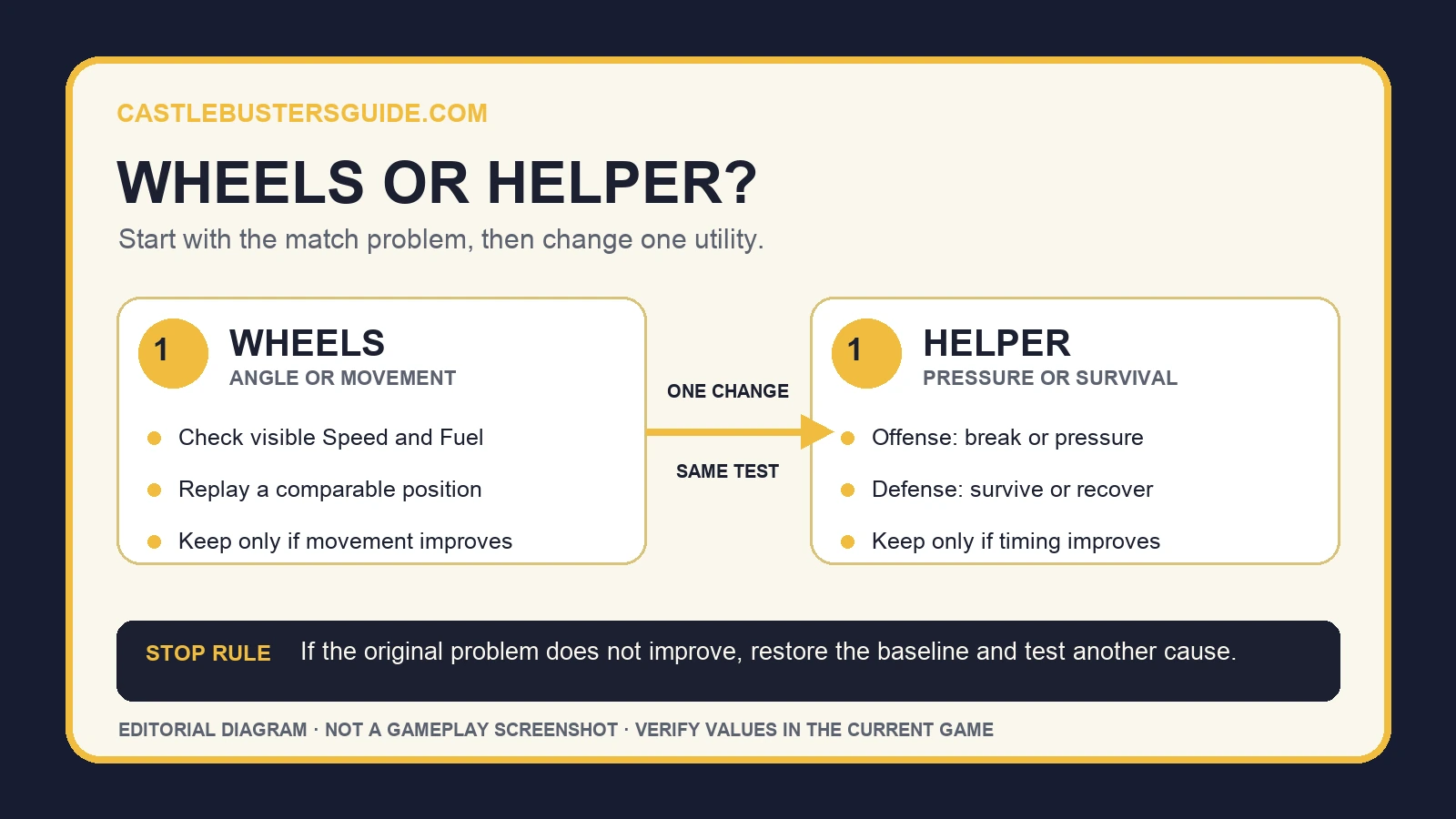
Use wheels when castle movement or firing angle is the problem. Use an offensive helper when you need to break defenses or pressure units, and a defensive helper when you need to survive or recover. Compare one visible option at a time; the cited sources do not define Power, exact costs, unlock levels, or one best setup.
Field order
Choose the utility that fixes the loss
Start with the loss, not the equipment score. Choose a wheel for an angle or movement problem, or one helper category for pressure or survival. Replay a comparable match and keep the change only if that original problem improves.
The official feature overview and patch note cited below do not provide a complete wheel or helper catalog. They also do not define the Power label, prices, Forge odds, unlock levels, or a universal best loadout. Read those fields in your current game build instead of relying on an undated tier list.
Field order
What the wheel screen can tell you
The official feature overview says wheels move the castle around the arena and that wheel sets come from the Forge. It names speed and fuel as examples of wheel statistics, but it does not publish their formulas or confirm every field shown by every account.
Treat the labels below differently. Movement, Forge acquisition, speed, and fuel are publicly documented. Power is a recurring player question, but the public feature page does not explain what it measures. A number beside an unexplained label is not enough to turn it into damage, durability, rarity, or matchmaking power.
| Wheel field | What is confirmed | What to do |
|---|---|---|
| Movement | Wheels let the castle move around the arena. | Use a wheel test when position or firing angle caused the loss. |
| Speed | The official page lists speed as an example wheel stat. | Compare the visible value and observe repositioning; do not assume a hidden formula. |
| Fuel | The official page lists fuel as an example wheel stat. | Record the visible value and the point at which movement becomes limited in your test. |
| Power | Not defined in the cited official sources. | Use an in-game tooltip or support answer before assigning a meaning to it. |
Field order
Pick a wheel with a one-match comparison
Keep the squad, castle layout, and target as similar as possible. Capture the current wheel fields, play once, change only the wheel, then replay. The useful result is whether the original movement problem changed, not whether the equipment screen displayed a larger total.
A wheel comparison is inconclusive when the opponent, terrain, layout, or squad change at the same time. Save the two visible stat cards and the match result. If the angle or repositioning problem does not improve, return to the previous wheel and test a different cause.
| Observed problem | Wheel test | Keep the change when | Stop when |
|---|---|---|---|
| A target stays outside a usable angle | Change one wheel and replay the same kind of position. | The castle reaches a workable angle more reliably. | The firing lane stays blocked. |
| Repositioning is too slow | Compare the visible speed field, then repeat one movement. | The move finishes soon enough to affect the turn. | The timing problem remains. |
| Movement ends before the desired position | Compare the visible fuel field and repeat the route. | The same route reaches the checkpoint. | The route still falls short or another limit appears. |
| Only the Power number changes | Look for a current tooltip or Help Center explanation. | The game defines the field and the test matches it. | The meaning remains undocumented. |
Field order
Choose helpers by timing and job
The official site divides helper items into offensive gadgets and defensive boosts. Offensive helpers are described as tools for breaking defenses and pressuring units. Defensive helpers are described as tools for surviving pushes, recovering, and holding important moments.
Start from the moment the match turns against you. If a defense or unit must be removed before it acts, test one offensive helper. If the castle or squad collapses during a push, test one defensive helper. Do not change the wheel in the same comparison, or you will not know which utility moved the result.
| Match problem | Helper category to test | Visible checkpoint |
|---|---|---|
| A defense survives long enough to stop the attack | Offensive gadget | The named defense breaks before the same stopping point. |
| Enemy units keep control of the turn | Offensive gadget | Pressure reaches the units early enough to change the exchange. |
| The castle fails during a push | Defensive boost | The castle survives past the former failure point. |
| A recovery effect appears unreliable | Current utility or defensive helper | The effect appears in the same condition after confirming the 1.17 update. |
Field order
Check patch 1.17 before judging a heal
Patch 1.17 says a utility heal that failed in some situations was fixed. The note does not give the utility's inventory name, amount, trigger, or affected account range. If a healing utility behaved inconsistently in an older test, update the game and repeat the same condition before replacing it.
The same patch added in-game support under Settings and a Help Center. If a stat, unlock, or utility behavior remains unclear, use the current in-game entry. The public patch note confirms that the entry exists; the exact taps after Settings may vary with the interface.
Field order
Spend only after the option is visible
Community discussions ask whether gems should go to wheels or other utilities, but those answers reflect individual accounts and versions. The two official sources cited here do not publish current gem prices, upgrade caps, Forge odds, or a best spending order. Check the cost and outcome shown on your own screen before buying.
First test an option you already own. If it solves the named match problem twice under comparable conditions, then compare its next visible cost with the next upgrade serving the same problem. Avoid spending merely because a wheel or helper increases an unexplained summary number.
Field order
Fix the common comparison mistakes
If a faster-looking setup performs worse, check whether the route, opponent, terrain, or firing angle changed. The public source names speed and fuel fields without defining their relationship, so do not explain the result with an invented tradeoff.
If a helper activates but the match still turns at the same moment, test a different category or timing. If an expected wheel or helper is missing from the Forge, record the account stage and visible Forge screen; availability reports from another player do not prove an unlock rule for your account.
If Power remains unclear, leave it unresolved. A Help Center or developer support answer can define it; a larger number and a community guess cannot.
Field order
Quick wheel and helper checklist
Name the loss first: angle, repositioning, defense pressure, or survival. Capture the current wheel and helper fields. Change one item, replay a comparable match, and check whether that exact failure moves. Keep the change only after a repeatable improvement.
Recheck this page after a patch changes utilities, Forge availability, movement, or the equipment interface. Exact stats, costs, unlocks, drop rates, and Power remain current-client questions until Castle Busters publishes them.
Records